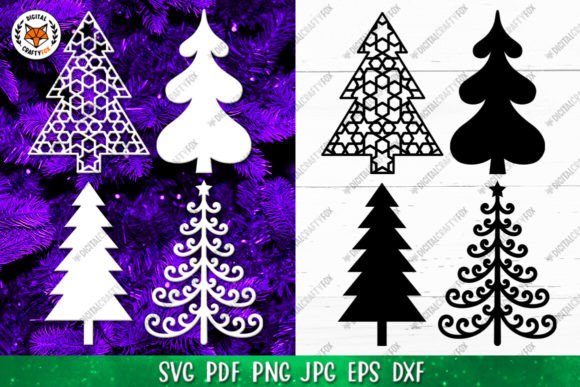
A Christmas Tree SVG Design Asset for Editorial Graphics & Illustrations
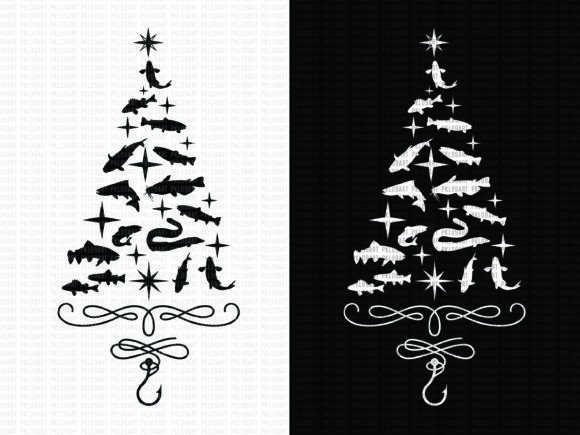
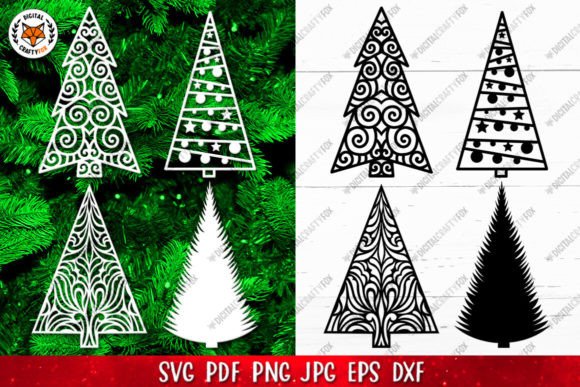
When a new graphic design asset lands in my downloads folder, my first reaction is always visual. I open it, see how it looks on a blank screen, and imagine it inside a real blog layout. The Christmas Tree Paper Cut File SVG gives a crisp, clean first impression. It’s a silhouette-based ornament design, which immediately sets a tone: decorative, seasonal, and artistic, yet with a modern clarity that feels adaptable.
The Editorial Mood This Design Creates
This isn’t a loud, cartoonish graphic. It’s a structured silhouette, which communicates a blend of tradition and craft. For a publisher, that mood is versatile. It feels lifestyle-focused and artistic, supporting content niches around holiday DIY, festive home decor, seasonal gift guides, and creative entrepreneurship. The clean lines suggest professionalism, making it suitable for content that needs to look polished to build reader trust, not just playful.
The silhouette style avoids being overly feminine or childish, leaning more towards a clean, decorative aesthetic. This is key for website presentation. When readers arrive at a blog post or a downloadable guide, the visual accents need to feel intentional and quality-driven, not cluttered or cheap. This asset supports that perception.
Real Publishing Workflows: Where This Graphic Fits
Let’s frame this around a real case. Imagine you’re a blogger preparing a December content series. You need a featured image for a “Homemade Christmas Ornaments” tutorial, a Pinterest pin for a “Last-Minute Holiday Decor” roundup, and a header graphic for your newsletter announcing a free festive planner.
The Christmas Tree Paper Cut File SVG, with its included files—SVGs for scalable design, high-resolution JPGs for quick placement, EPS for professional editing, and PDF for reliable printing—integrates directly into that workflow.
- Blog Featured Images & Article Headers: The SVG file can be enlarged infinitely without losing quality, making it perfect for a bold website header or hero image. Overlay your headline text on the clean negative space around the tree.
- Pinterest Graphics & Social Media Previews: The 300 DPI JPGs on white backgrounds are ready-to-use for creating tall, eye-catching Pinterest pins or square Instagram posts. The silhouette creates clear visual hierarchy, making the pin stand out in a busy feed.
- Downloadable Resources & Lead Magnets: This is where the file formats truly shine. Use the PDF or DXF files within a digital guide, worksheet, or printable design you offer as a content upgrade. The graphic lends a cohesive, professional look to your entire digital product.
- Newsletter Banners & Email Graphics: A scaled-down version of the tree can serve as a consistent brand accent in your email header, reinforcing your seasonal content theme.
- Affiliate Content Visuals: If you’re linking to craft supplies or cutting machines, using this clean graphic on your affiliate blog post or comparison guide looks editorial, not overly promotional, which builds trust.
- Canva Templates & Digital Ads: Import the SVG or JPG into Canva to build reusable templates for your social media graphics or small digital ads. The design provides a strong, seasonal anchor for your text.
How This Asset Supports Content Performance
Beyond just looking nice, a good graphic design asset serves strategic goals.
- Stronger First Impression & Click-Through Potential: A thumbnail featuring this distinct, crisp tree silhouette is more recognizable in search results or social feeds, encouraging clicks.
- More Consistent Branding & Visual Identity: Using the same design asset across your blog graphics, Pinterest pins, and downloadable printables creates a unified visual system for your seasonal content, making your brand feel more deliberate.
- Improved Reader Trust & Professional Presentation: Polished, intentional graphics signal that your content is credible and worth the reader’s time. This asset elevates a simple blog post or digital guide beyond basic text.
- Better Category Recognition: For a website with a holiday or crafts category, using this tree graphic as a recurring visual cue helps readers instantly identify that content type.
Optimal Use Cases for Maximum Impact
Based on its style and file versatility, here are the places this design asset works best.
- Hero Images and Article Thumbnails where its scale and clarity can dominate positively.
- Pinterest Pins and Blog Graphics that require high-contrast, simple shapes for quick comprehension.
- Editorial Accents within Long-Form Content, like section dividers or icon-like bullets.
- Content Upgrades and Downloadable Resources, such as cover art for a PDF guide or worksheet.
- Category Visuals and Newsletter Headers that need a seasonal marker without overwhelming text.
- Social Media Previews and Digital Ad Images where a single strong graphic element is crucial.
Considerations for Careful Use
Even a versatile asset has limits. Use the Christmas Tree Ornament Silhouette carefully in these contexts.
- Very Small Mobile Thumbnails: The intricate silhouette details might become indistinct at tiny sizes. Test it.
- Text-Heavy Blog Images: If you overlay paragraphs of text directly onto the tree shape, readability could suffer. Use it as a background accent, not a text container.
- Low-Contrast Backgrounds: Placing a white-background JPG on a light grey or pastel blog background will dilute its impact. Ensure strong contrast.
- Busy Layouts: If your website design or editorial layout is already densely packed with visuals, adding this might contribute to clutter.
- Serious Corporate Content: For niches like financial or legal blogging, even seasonal content might require a more minimal, abstract visual system.
Practical Publisher Notes Before You Publish
Before hitting “publish” on any content using this graphic, run these quick checks.
- Test on Desktop and Mobile Screens: See how it renders at different screen sizes and resolutions.
- Preview Inside a Real Blog Layout: Drop it into your actual WordPress or Squarespace draft next to your headline and body text.
- Check Contrast and Readability: Try it with various font styles—serif, sans-serif, script, handwritten, display—overlaid or beside it.
- Review File Size for Web Performance: If using the JPGs, ensure they are compressed properly for fast page loading. The SVGs are naturally lightweight for web.
- Confirm Commercial Licensing: Since the description notes its suitability for sublimation and cutting, verify the license allows use on monetized websites, affiliate pages, or within paid digital products you create. This is crucial for small business branding and commercial design.
Ultimately, the Christmas Tree Paper Cut File SVG is more than a festive picture. It’s a flexible component for your editorial design and content marketing toolkit. From strengthening your visual hierarchy on a blog post to providing the branded polish for a digital download, it supports the need for content that looks credible, clickable, and consistently professional. In the world of digital publishing, where reader trust is built pixel by pixel, such design assets are invaluable.